
Pro Engagement Plan · $3,500
Devon, here's exactly
what you're getting.
A plain-English breakdown of every deliverable, how payment works, and what happens the moment you send the deposit.
Pro Engagement Plan · $3,500
A plain-English breakdown of every deliverable, how payment works, and what happens the moment you send the deposit.
What's included
Seven distinct pieces of work across both of your sites — each one targeting a specific gap identified in the audit.
Service Area Fix — The Core Problem
Right now Google reads both bands as Broward County businesses. This deploys a 20-jurisdiction schema that explicitly tells every search engine you serve the Treasure Coast (Fort Pierce, Port St. Lucie, Stuart), Palm Beach County, Broward, Miami-Dade, the Florida Keys, and the specific cities where your bookings actually happen. This is the single change that moves the needle most.
Week 1 priorityAnswer Engine Setup
Installs two small files on both sites (robots.txt and llms.txt) that tell Siri, Google, ChatGPT, and similar services exactly who you are, what you do, and where you perform. Without these, assistants can't accurately recommend you even if someone asks specifically for a Miami wedding band.
Week 1Spanish-Language Metadata
Miami's wedding market is heavily bilingual. This adds Spanish-language title tags, descriptions, and structured data to both sites. Spanish-speaking planners and families searching for bands — a significant portion of your potential market — currently get no results for your sites.
Hyper-Local Landing Pages
New pages targeting Miami's most-booked wedding venues — Vizcaya Museum, the Biltmore Hotel, and Pérez Art Museum. Couples searching for "live band at Vizcaya wedding" find nothing now. These pages put both bands in front of exactly those searches.
Authority Source Links — The Knot & WeddingWire
Structured links from The Knot and WeddingWire — the two most trusted wedding vendor directories in the country — directly back to your sites. These are among the highest-credibility signals search engines use to verify that a wedding vendor is legitimate and where they claim to operate.
Meta Descriptions & Social Preview Images
The text that appears under your site name in Google results, and the image + description that show up when someone shares your link on social media. Both sites are missing these right now. Fixing them improves click-through from search and makes every shared link look polished.
Progress Snapshot Dashboard
A private, purpose-built snapshot page that shows what's been deployed, where both bands stand against the milestones, and — once rankings have had time to shift — where both sites appear across your 10 tracked Miami searches. Updated as meaningful progress is made, not on a forced calendar. First version delivered within 7–10 days of the deposit.
Delivered week 2 · updated at milestonesInvestment breakdown
Nothing comes due until we earn it. The schedule below is a ceiling — milestones pay when they're hit, not when the calendar says they're due.
$1,500
Deposit today
Sent via Zelle. Kicks off everything — WordPress access setup, Week 1 technical work, and Dashboard build all begin within 48 hours of receipt (or the first business day if it falls on a weekend).
$1,000
Month 3 checkpoint
Triggered when all 20 service-area jurisdictions are deployed and confirmed as indexed by Google — meaning each one shows as indexed in Google's own records, verified and visible to you in the Snapshot Dashboard. If we hit this by Week 5, it triggers at Week 5.
$1,000
Month 6 confirmation
Triggered when both bands are appearing in at least 2–3 of 10 agreed-upon Miami search queries — a mix of broad searches and venue-specific searches we define together at kickoff. Rankings are verified using Miami-Dade location targeting and tracked in your Snapshot Dashboard. Same rule — early delivery means early payment.
+$500
Performance bonus
Optional. Awarded if we exceed the targets — both bands appearing in 5+ of 10 tracked queries, or either milestone triggers ahead of its stated month (the Month 3 milestone delivered before Month 3, or the Month 6 milestone delivered before Month 6).
Immediate next steps
Work begins within 48 hours of the deposit landing — or the following Monday if it lands on a weekend. Here's the exact sequence.
Your progress view
A private progress page built specifically for this engagement. Updated as milestones are hit — so what you see is always accurate, never padded to fill a schedule.
Why this takes time — and what that means for you
Search engine rankings don't respond to technical changes overnight. When we deploy the service-area schema, bilingual metadata, and authority links, Google has to re-crawl both sites, re-evaluate the signals, and update its index — a process that typically takes four to eight weeks. This is the same timeline every legitimate SEO engagement operates on, whether the work is done by a solo consultant or an agency with a full team.
What this means practically: in the first month, you won't see ranking movement — and that's not a red flag, it's how the process works. What you will see is every piece of technical work being deployed and verified. The dashboard shows you both: the work being done now, and the results as they come in.
How the dashboard works — two phases
Phase 1 — Deployment Progress · Weeks 1–8
During the first two months, the dashboard focuses on what's being built. Every technical deliverable is logged with its deployment date and verified indexing status. You can see exactly what's live on both sites and what's still in progress — without needing to understand the underlying code.
Phase 2 — Ranking & Milestone Results · Month 2 onward
Once the technical foundation has had time to be re-evaluated by search engines, ranking data starts to appear. From Month 2 forward, the dashboard adds position tracking across your 10 agreed-upon Miami searches — updated each time a meaningful shift occurs or a milestone checkpoint is reached.
One more item from kickoff
You raised two separate address issues: Google Workspace needs an address on file for The Music Machine, and you weren't sure what to do about your Google Business Profile listings since neither band has a public storefront. Good news on both — they're simpler than they seem, and they're solved two different ways.
1. Google Workspace — a virtual mailing address
What Google Workspace actually needs is a real street address that can receive mail — it doesn't need to be a storefront, and it doesn't need to be where the bands are based or rehearse. A "virtual mailbox" service provides exactly that: a real, verified street address that scans or forwards any mail that arrives. It's the standard solution for mobile and service-area businesses — bands, DJs, contractors, and similar — that don't operate out of a fixed location.
This is a small monthly cost you'd pay directly to the provider — separate from this engagement, since it's something Music Machine needs regardless of the SEO work.
2. Google Business Profile — your real address, but hidden (and free)
This one's different, and it's actually already handled by the work in this plan — no extra service or cost needed.
Here's the part that might not be obvious: Google lets a business keep its address completely private. As part of the Service Area Fix above, both bands are being switched to "Service Area Business" (SAB) mode. In SAB mode, Google requires a real address on file to verify the listing — but that address is never shown to the public. Only the cities and counties you serve appear on your profile. No one searching for either band will ever see a street address, your home, or anywhere your gear is stored.
One important note: don't use the virtual mailbox address from #1 for Google Business Profile. Google can detect when a listing's address is a commercial mailbox rather than a real business location, and that mismatch can flag or even suspend a listing — which would directly affect the Month 3 and Month 6 milestones. Keep the two separate: virtual mailbox for Workspace, your real (hidden) address for Google Business Profile.
Ready to start
Work begins within 48 hours of the deposit landing — or the first business day if it falls on a weekend. Scan the code below, send $1,500, and reply to confirm. That's the start signal.
$1,500
Pro Engagement Deposit · Zelle
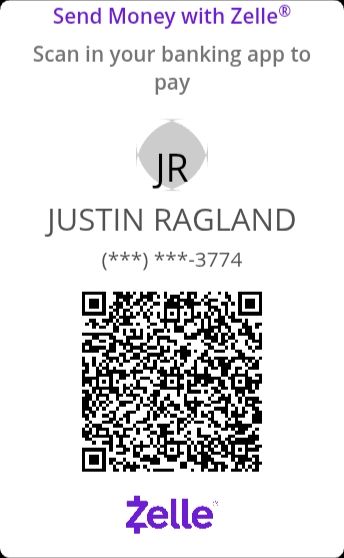
Scan with your bank's app or Zelle directly.
After sending, reply to confirm — that's the start signal.
Questions before sending? Reach Justin at justin@raglandlabs.com